Guide ·
Finding your way around the VSeeBox remote
The buttons that matter on the VSeeBox remote, and where to find them.
The quick version of the remote guide, without household settings or personal contact details.
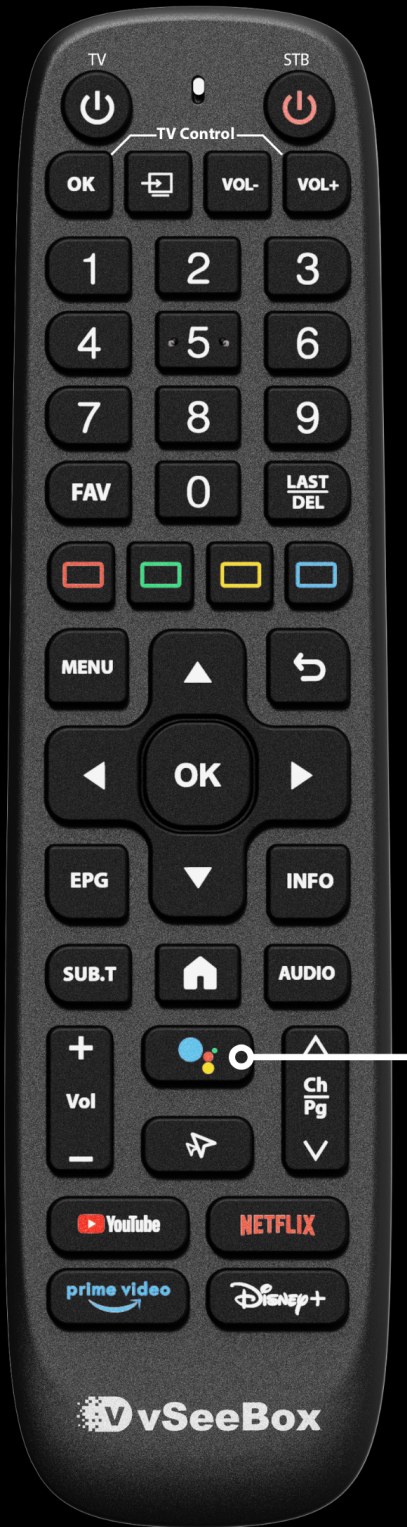
Start with Home
Press Home to return to the app launcher. Pick the app you want, then press OK.
Move around
Use the arrow pad to move through menus. The middle OK button selects the highlighted item. Press Back to return one step.
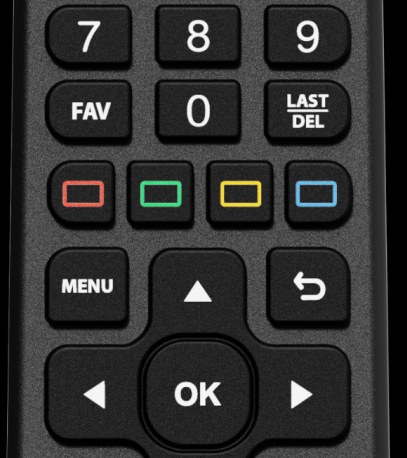
Find a channel
Open the channel guide with OK, move up to Search, and use the on-screen keyboard to type a channel or show name. Select the result and press OK.
Check the volume
The lower volume buttons control the app volume. Some setups use the top buttons for a television or soundbar. If the app is already at maximum, check the television’s volume too.
When an app will not load
Return Home and try the app again. If it still will not load, try another installed app or restart the box. Exact menus and app availability vary by device.